Cambria Creature Survival PC and Phone Controls
Every official verb mapped—so rest, burrow, and nest are never “the mystery key.”
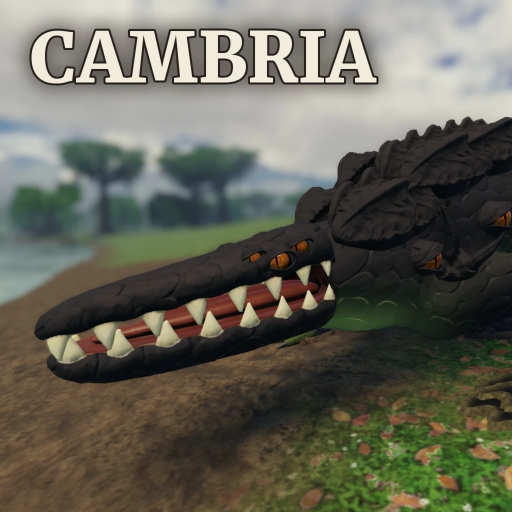
This Controls guide lists the PC keybinds published for Cambria - Creature Survival and explains how to practice them in real survival situations. Phone players use on-screen buttons for the same actions—learn the verbs even if your thumbs never touch a keyboard. Early-access patches can tweak UI labels after server restarts; if a bind feels wrong after maintenance, re-check in-game and skim Updates.
Mastering binds is the fastest damage upgrade that costs zero bones. Pair this page with Getting Started and the Guides Hub.
Movement and camera
| Input | Action | Survival note |
|---|---|---|
| WASD | Move | Strafe while drinking near contested water |
| Shift | Sprint | Budget stamina; sprinting into unknown brush is ambush bait |
| Space | Jump / fly | Flyers: climb with intent, not boredom |
| Ctrl | Dive | Essential recovery from bad altitude |
| C | Crouch | Ambush approaches and egg stealth |
| Z | Precise move | Tight nest mouths and ledge corrections |
| Alt | Free cursor | Open menus without losing facing |
Practice Shift + C + Z on empty terrain before your first raid. Precision movement saves more Hatchlings than an extra cosmetic horn.
Combat and pressure
| Input | Action | Survival note |
|---|---|---|
| 1–5 | Attacks | Your bread-and-butter strings |
| 6 | Stomp | Crowd control at nest doors |
| 7 | Harden | Timed defense, not permanent AFK armor |
| 8 | Spit | Lane denial and soft kiting |
| G | Roar | Pack signals and intimidation |
| F | Grab | Setup for throws or holds |
| R | Thrash | Break control / punish grabs |
| T | Throw | Finish grabs; watch cliffs in wind |
| B | Brace | Weather and charge absorption |
| V | Lunge | Gap closer for speed kits |
A clean 1–5 → F → T or V → 1–5 → R is worth more than mashing random numbers. Build identity on the Tier List should match which of these you press most.
Survival verbs (the ones beginners forget)
| Input | Action | Survival note |
|---|---|---|
| E | Eat / drink | Equal priority to attacking |
| Q | Smell | Food and threat radar |
| X | Rest | Stamina and flight tax recovery |
| H | Burrow | Weather and raid bailout |
| J | Pit | Utility depending on kit/context |
| Y | Echo | Information for packs and night fights |
| N | Molt | Growth stage transition—never panic-tap |
| K | Nest / lay egg | Home and clutch controls |
If you only memorize four keys beyond WASD, make them E, Q, X, H. Those four decide whether How to Grow advice can land.
Social, meta, and UI
| Input | Action | Survival note |
|---|---|---|
| M | Map | Route planning and storm path guesses |
| P | Pack | Group tools—confirm members before egg pins |
| I | Shop | Cosmetics; future code fields may live nearby |
| L | Save & leave | Use before restarts and long breaks |
| U | Hide UI | Screenshots; toggle back before combat |
Shop (I) is also where you look when Codes eventually appear. Save (L) matters because Cambria still reboots servers often in early life.
Phone / touch layout
Mobile does not invent new verbs. Expect on-screen buttons for move, camera, attack cluster, and utility toggles mirroring the table above. Recommendations:
- Place eat/drink and smell where your thumb rests
- Do not bury burrow three menus deep if the client allows remapping/favorites
- Practice dive and rest before long flights over oceans of lag
- Prefer shorter combos; precision grab-throw is harder on touch but still learnable
If a button label differs after a patch, trust the in-game control screen over an outdated screenshot.
Training drills (10 minutes)
- Meter drill: sprint, rest, drink, eat—no combat.
- Sense drill: smell, echo, map glance, return to water.
- Defense drill: brace, harden, burrow enter/exit.
- Control drill: grab, thrash, throw on safe targets.
- Social drill: open pack menu, close, open nest menu without walking off a ledge.
Run drills after every major update that mentions controls or UI.
Binds in context of other systems
- Nesting flow uses K plus defense keys—see How to Nest.
- Growth flow spam-checks E / Q / N—see growth guide.
- Weather flow prioritizes H / B / X / Ctrl—see Weather Survival.
- Builder choices change which binds feel strong—see Creature Builder and Builds.
Common control mistakes
- Hiding UI with
Uand forgetting during a raid - Free-cursor (
Alt) mid-chase without a plan - Molting (
N) because it sits next to another key you meant to press - Roaring on cooldown until every predator on the server triangulates you
- Never binding mental priority for burrow until the tornado tutorial kills you live
Accessibility and comfort
If Shift-sprint strains your hands, take rest seriously and shorten routes. Cambria sessions on full servers are long; comfort is a survival stat. Controllers may vary by Roblox client—verify bindings locally.
Scripts and “auto key” macros
Third-party auto-press tools and injected command menus can violate Roblox rules and get accounts banned. Read Scripts before “quality of life” macros. Learning the real binds is safer and transfers after anti-cheat passes.
Print this mental stack before each session: move → sense → eat/drink → fight → burrow → molt/nest. When those layers are fluent, Cambria stops feeling like a button scavenger hunt and starts feeling like the creature survival fantasy the builder promised. Return to the Guides Hub for the next system deep dive, or the Links Hub for the full site map.
Frequently Asked Questions
Quick answers for Cambria Creature Survival players.
What are the most important Cambria keys for beginners?
Beyond WASD and Shift, prioritize E (eat/drink), Q (smell), X (rest), and H (burrow). Add 1–5 attacks, then nest key K when you are ready to lay.
Does phone use different actions?
No. Mobile uses on-screen buttons for the same verbs—move, fight, eat, smell, molt, nest, pack. Learn the action names even if you never use a keyboard.
What does L do?
L is save & leave when available. Use it before long breaks and when shutdown warnings appear during early-access restarts.
How do I open shop or pack menus?
I opens shop; P opens pack tools; M opens map; Alt frees the cursor for UI. Confirm after patches if menus move.
Where should I practice combos?
Use safe prey or empty terrain for grab-throw and lunge drills before nesting or raiding. Pair practice with Getting Started and How to Grow.